This is the story of an actual home workstation makeover, not a mock-up. The commands below were tested on a Dell running Slackware 15.0 and Fluxbox, with Windows 11 on the dual-boot machine and a separate Kali Linux learning setup. Every photograph comes from the real session.
01 / Meet the Slackbox
Our machine is a compact Dell OptiPlex 7070 connected to a large Telefunken display. Slackware 15.0 supplies the real console and a lightweight Fluxbox desktop. Windows 11 is available through the machine's existing dual-boot arrangement. Kali is used for isolated security-learning experiments; this diary does not turn Kali into a third native boot entry.
We started inside a graphical terminal. tty returned /dev/pts/0 — a pseudoterminal, not the real text console. cat /proc/fb returned 0 i915drmfb, identifying the Intel DRM framebuffer. Then Ctrl+Alt+F3 took us to a real Linux TTY.
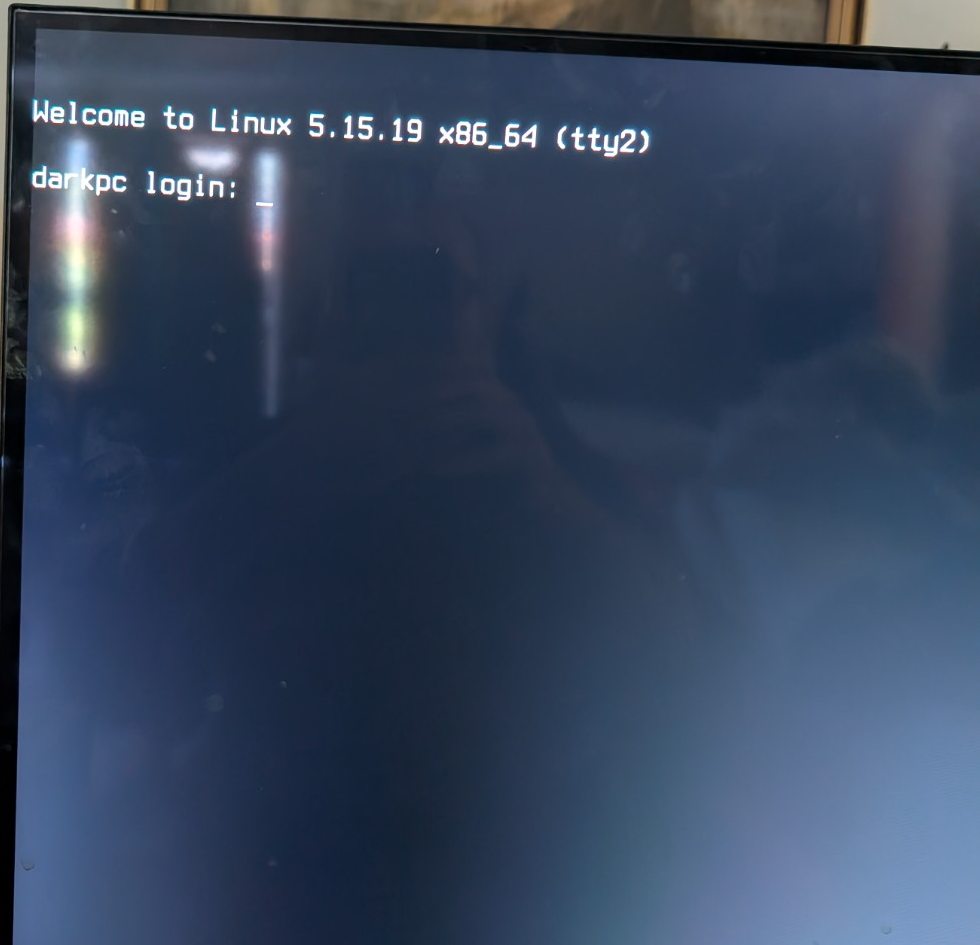
02 / Build the DarkPC login banner
As root (su - first), after backing up /etc/issue, we wrote a simple ASCII welcome screen headed DARKPC.NET — THE DARK SIDE OF UNIX. The login banner is displayed by the console's login program; it's not a firmware splash screen or a kernel logo replacement.
cp -n -p /etc/issue /etc/issue.darkpc-backupOur banner file began with an ANSI sequence to select green foreground and black background, followed by text art. To build your own, replace the sample words below with your own message.
printf '\033[1;32;40m\n' > /etc/issue
cat >> /etc/issue <<'EOF'
==========================================

              DARKPC.NET
         THE DARK SIDE OF UNIX

       >>> ENTER THE DARK SIDE <<<

          SLACKWARE LINUX 15.0

==========================================

       WELCOME TO THE DARK SIDE

EOF
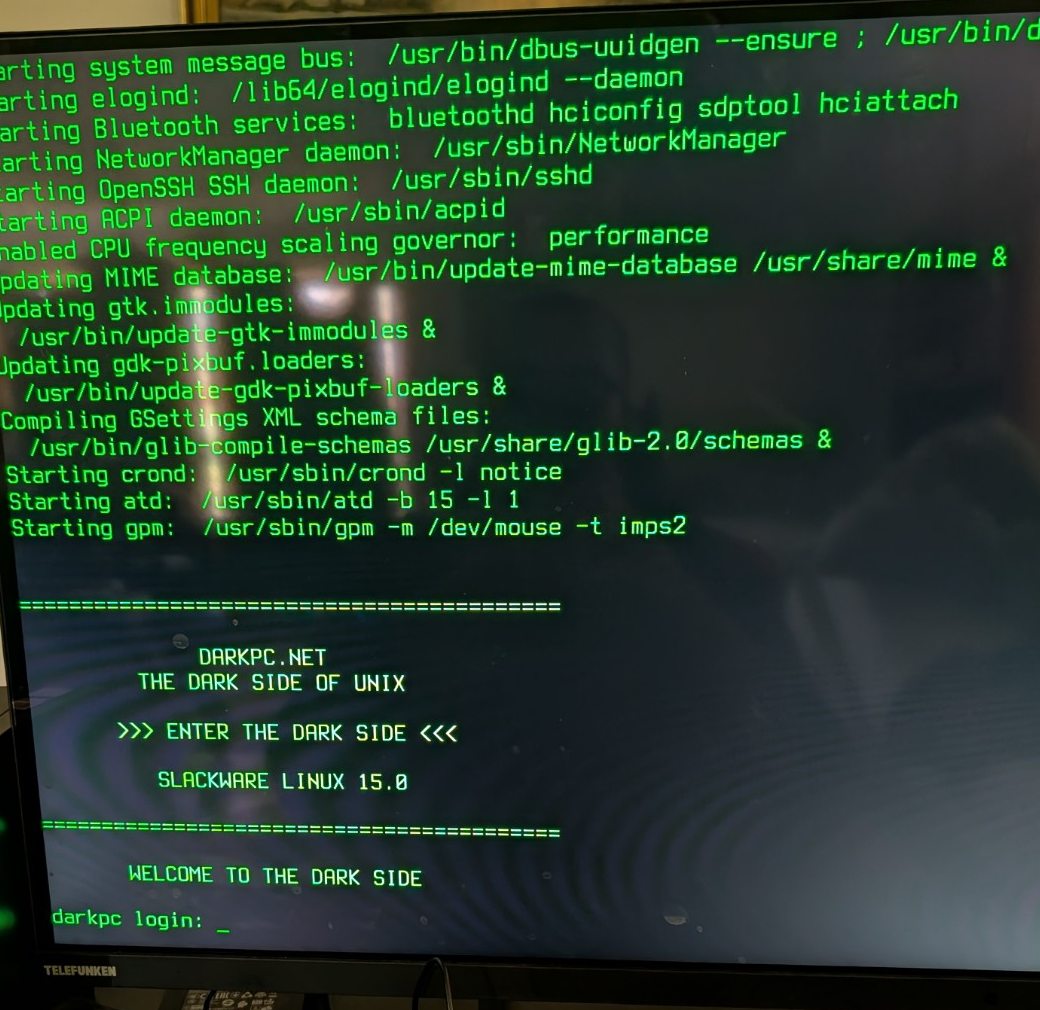
We previewed it with cat /etc/issue. On the fresh console login, there it was: real green characters on black.
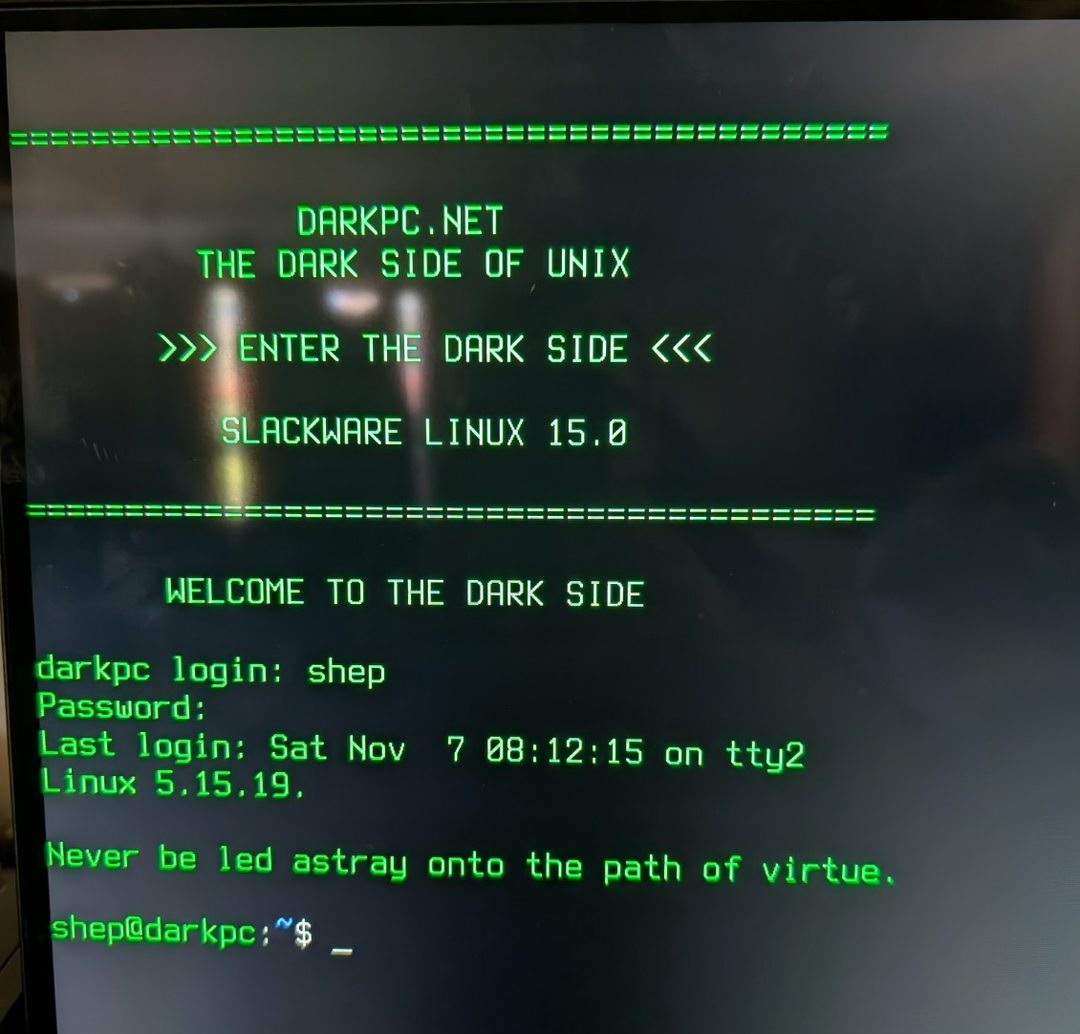
03 / Make the Linux console green
In the real TTY (not inside Fluxbox/Konsole), we ran:
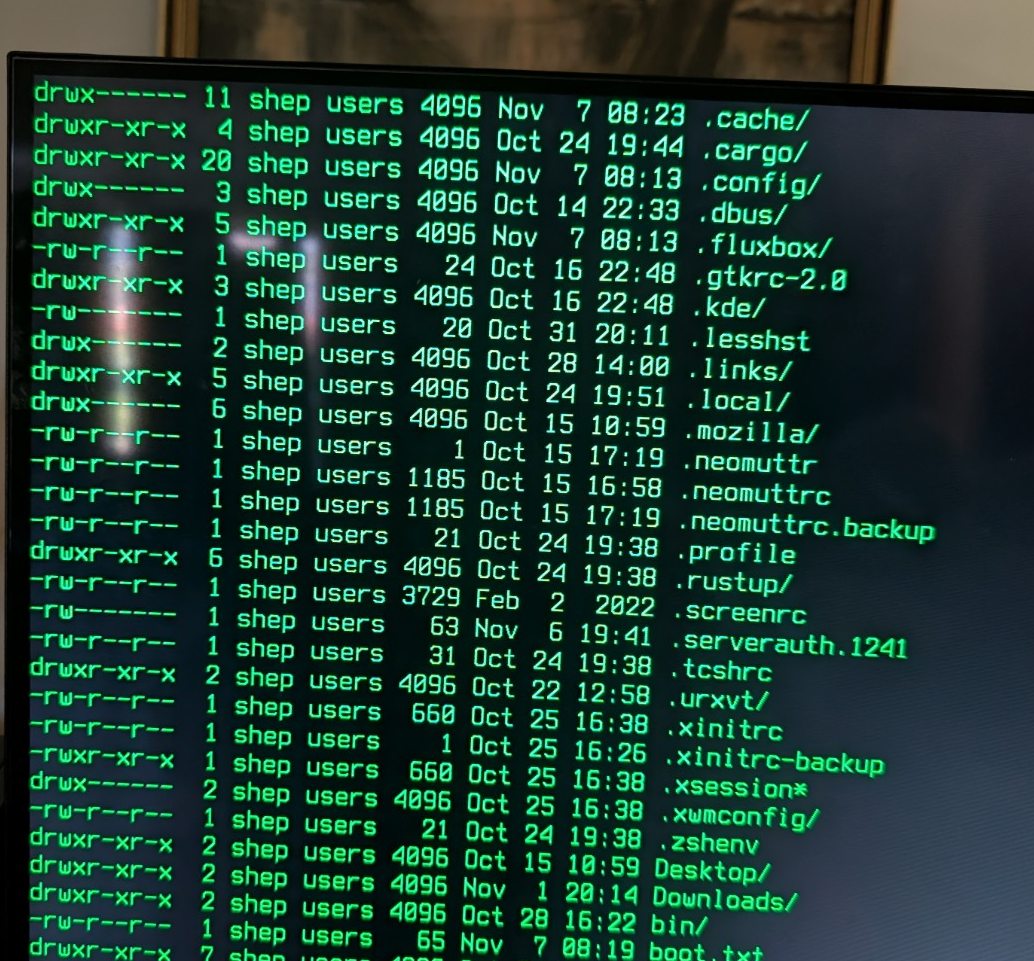
setterm --foreground green --background black --store --clear allThe console cleared and adopted green as the default text colour for the session. To make an ordinary directory listing follow that scheme, we used:
ls --color=never -laWe had a tiny hiccup here: a mistyped dash in the long --color option produced an invalid option error. Two hyphens fixed it. That's exactly the kind of small mistake beginners should see, rather than an edited-perfect tutorial.
Keep it green after login
Still as root, we created a profile script that runs only when the TERM is linux on a real terminal. This leaves graphical Konsole themes alone.
cat > /etc/profile.d/darkpc-console.sh <<'EOF'
#!/bin/sh

if [ "${TERM:-}" = "linux" ] && [ -t 1 ]; then
    setterm --foreground green --background black --store
    printf '\033[0;32;40m'
fi
EOF
chmod 755 /etc/profile.d/darkpc-console.sh
sh -n /etc/profile.d/darkpc-console.sh
After logging out and back in, the banner and prompt stayed green without rerunning the temporary command.
04 / Hide the kernel penguins
The Dell was confirmed to be booting in UEFI mode. Its EFI partition contained Dell, Microsoft and Slackware folders. Slackware's own folder contained elilo.efi, elilo.conf, vmlinuz and initrd.gz. We kept the Dell and Microsoft files untouched.
test -d /sys/firmware/efi && echo "UEFI boot"
ls /boot/efi/EFI
cat /boot/efi/EFI/Slackware/elilo.conf
cat /proc/cmdline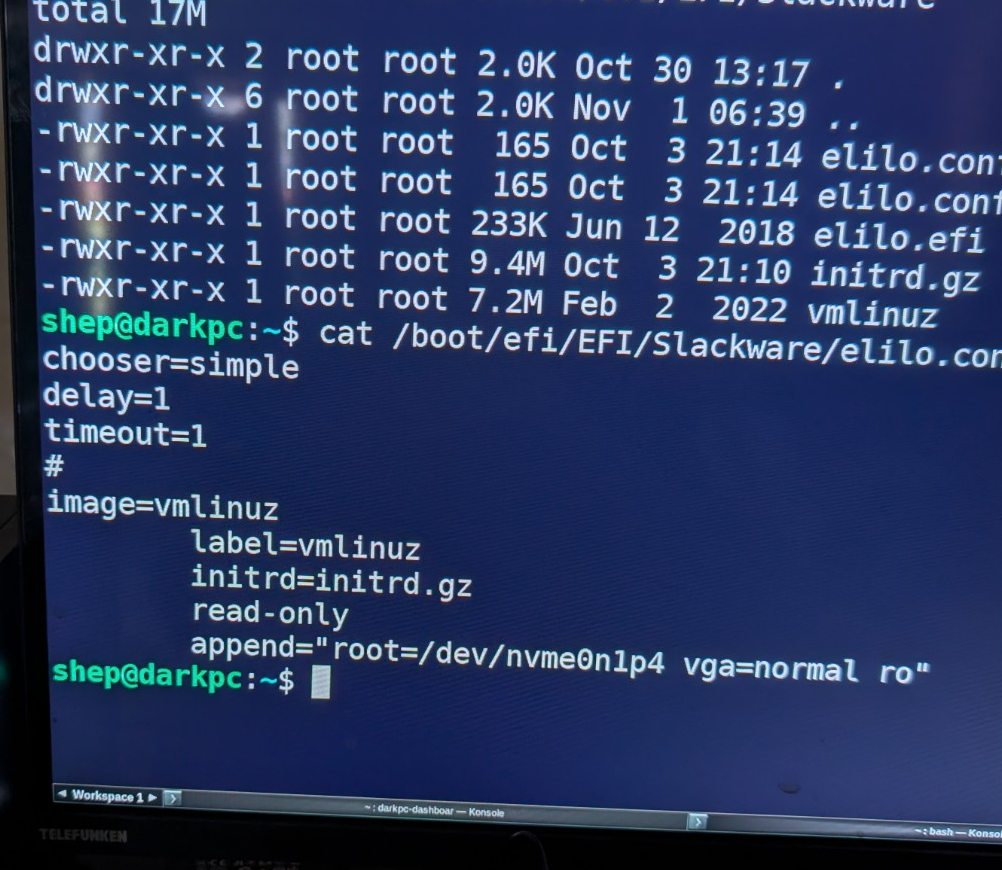
root=/dev/... value into your boot configuration. That device path is specific to the original machine. Back up elilo.conf, then add only logo.nologo to your own existing kernel append="..." line. Bootloader mistakes can prevent Linux from starting.Our Slackbox's edited line looked like this after the change (shown as a record of our system, not a universal copy-paste instruction):
append="root=/dev/nvme0n1p4 vga=normal ro logo.nologo"The next boot confirmed that logo.nologo appeared in /proc/cmdline. The built-in Linux penguin logos did not appear. The Dell firmware logo was unaffected.
05 / Green service-startup messages
At first, the machine rebooted safely, but the many service messages above our login banner were still white. We traced Slackware's classic boot sequence: rc.S runs early, then rc.M starts multiuser services and calls /etc/rc.d/rc.setterm.
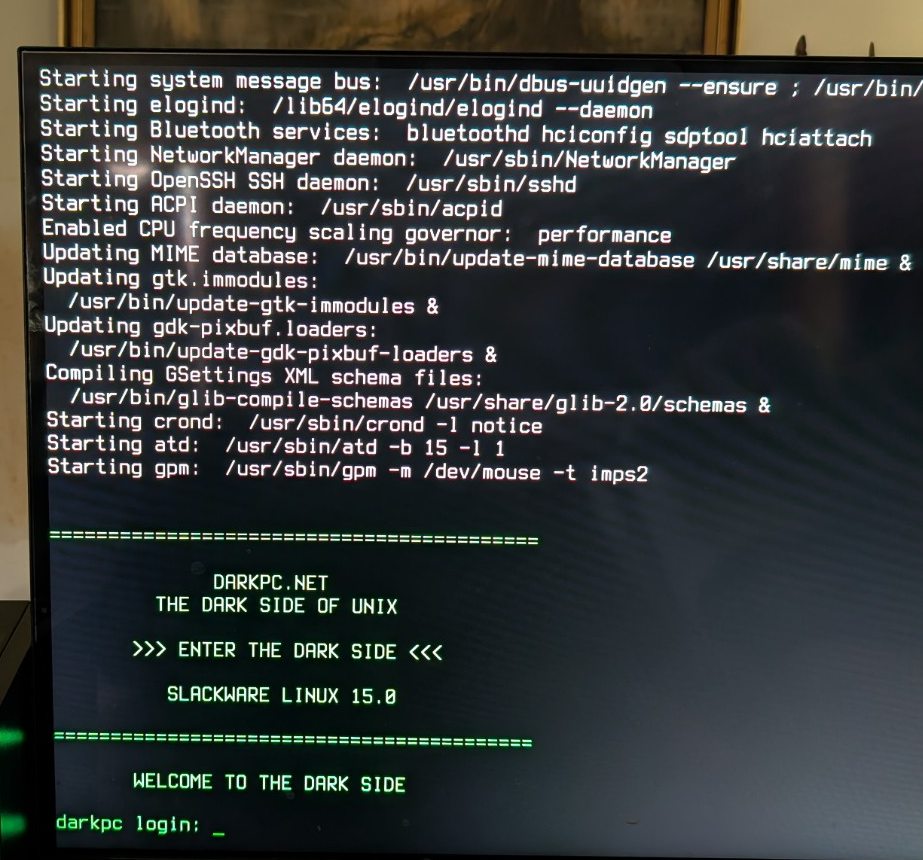
We backed up rc.S for safety but did not edit it. Instead we backed up rc.setterm, which already handled console blanking, and added the following block at the end. This block targeted the first Linux console, /dev/tty1, which was showing startup output on this machine.
# Add to /etc/rc.d/rc.setterm AFTER backing it up:
# DARKPC.NET - Retro green startup console
if [ -c /dev/tty1 ]; then
  /usr/bin/setterm -term linux -foreground green -background black -store < /dev/tty1 > /dev/tty1 2>/dev/null || :
fi
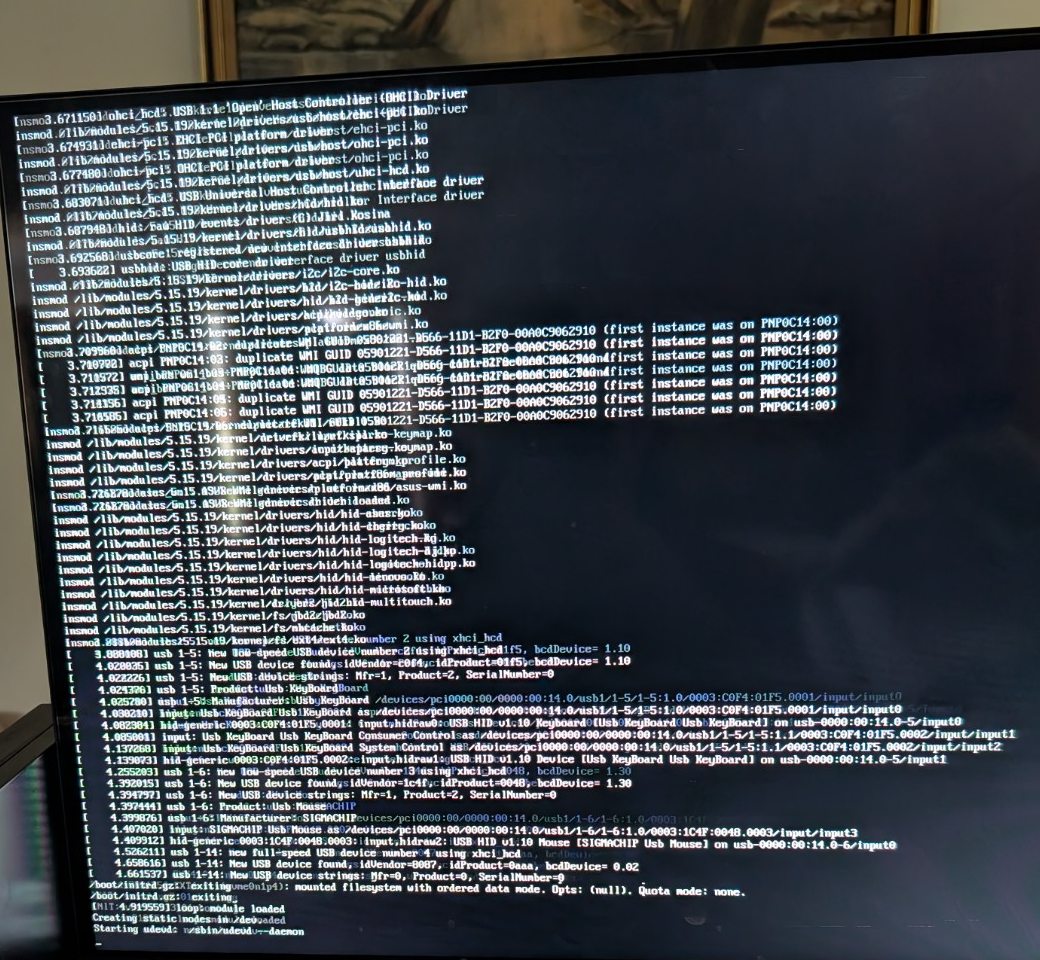
We checked the syntax with sh -n /etc/rc.d/rc.setterm, confirmed that rc.M calls the script, saved our work and rebooted. The later startup messages went green. The earliest kernel and module messages remained white because they run before this console setting is applied.
06 / What this experiment taught us
- Linux TTY versus desktop terminal:
/dev/pts/0is not the same as/dev/tty2. We themed the real text console, not just Konsole. - Console colours are layered:
/etc/issuestyles login text;settermstyles TTY output; shell profiles affect interactive logins; startup scripts can affect later boot messages. - ELILO is not a graphical theme engine:
logo.nologohides Linux's built-in logo; it does not replace the firmware splash or add a DarkPC bitmap. - Backups are part of the project: we backed up each configuration file before edits and verified results after restarting.
- Readable and real beats flashy: these photos are of the live machine, and the guide shows the imperfect steps as well as the final result.
07 / How to undo the customisation
For your own machine, restore from the backups made before your changes. The following paths are the filenames used for this particular build. Run restoration commands as root and reboot only after checking the target files.
# Restore the original login message (if its backup exists):
cp -p /etc/issue.darkpc-backup /etc/issue

# Restore the original startup setterm script:
cp -p /root/rc.setterm.darkpc-backup-20261107 /etc/rc.d/rc.setterm

# Disable the extra login-time colour profile:
mv /etc/profile.d/darkpc-console.sh /etc/profile.d/darkpc-console.sh.disabled

# Optional: restore the original Slackware ELILO settings:
cp -p /root/elilo.conf.darkpc-backup-20261107 /boot/efi/EFI/Slackware/elilo.conf
The original rc.S was never modified during this session. If a bootloader change prevents Linux starting, use a suitable rescue environment and restore the saved ELILO configuration rather than experimenting blindly with the EFI partition.
What comes next for the Slackbox?
This was only the first Saturday's makeover. A classic bitmap console font, a matching green tmux status bar and perhaps a more advanced (separately tested) boot-menu design are still on the wish list. Meanwhile, the machine remains a useful Slackware/Fluxbox workstation, a Windows dual-boot PC and a learning lab.
Want the shorter, copy-and-paste version? Follow our dedicated green retro UNIX console tutorial. This build diary is the photographed real-world companion.
Explore the DarkPC guide library