See the Traffic: Your First HTTP Packet Capture
Build a tiny local web server on Slackware, inspect requests with curl, capture packets with tcpdump and identify your service with Nmap. No external targets required.
127.0.0.1. Only inspect systems you own or are authorised to test. The example server is for training, not production use.Prepare the Slackware host
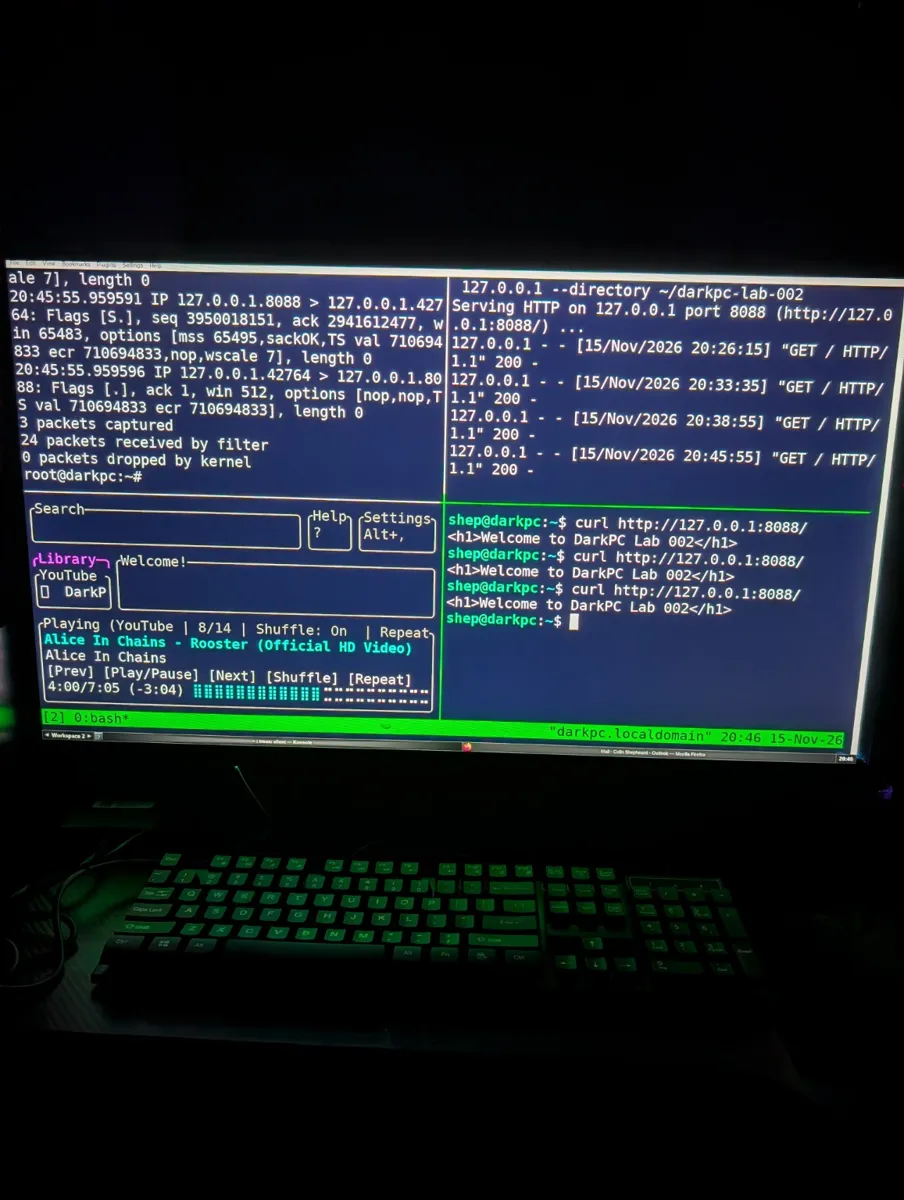
Open tmux and arrange four panes. You can split vertically with Ctrl+b %, horizontally with Ctrl+b ", and move between panes with Ctrl+b followed by an arrow key. You need Python 3, curl, tcpdump and Nmap installed.
python3 --version
command -v curl tcpdump nmap tmux
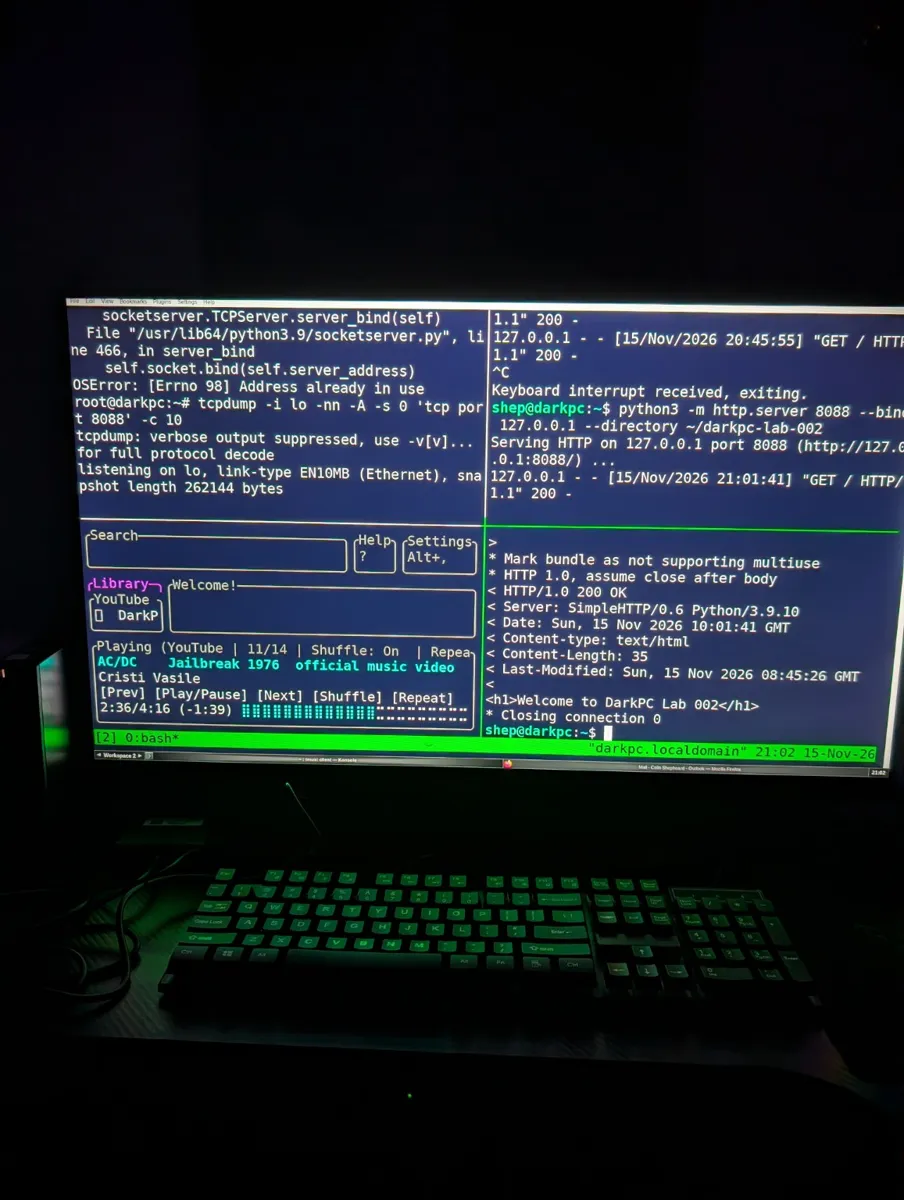
Start your local web server
In your top-right pane, run these commands as your normal user. The server remains active until you press Ctrl+C in this pane.
mkdir -p ~/darkpc-lab-002
printf '%s\n' '<h1>Welcome to DarkPC Lab 002</h1>' > ~/darkpc-lab-002/index.html
python3 -m http.server 8088 --bind 127.0.0.1 --directory ~/darkpc-lab-002
If you see “Address already in use,” the server may already be running. Check with ss -ltnp | grep ':8088' before starting another copy.
Capture local packets
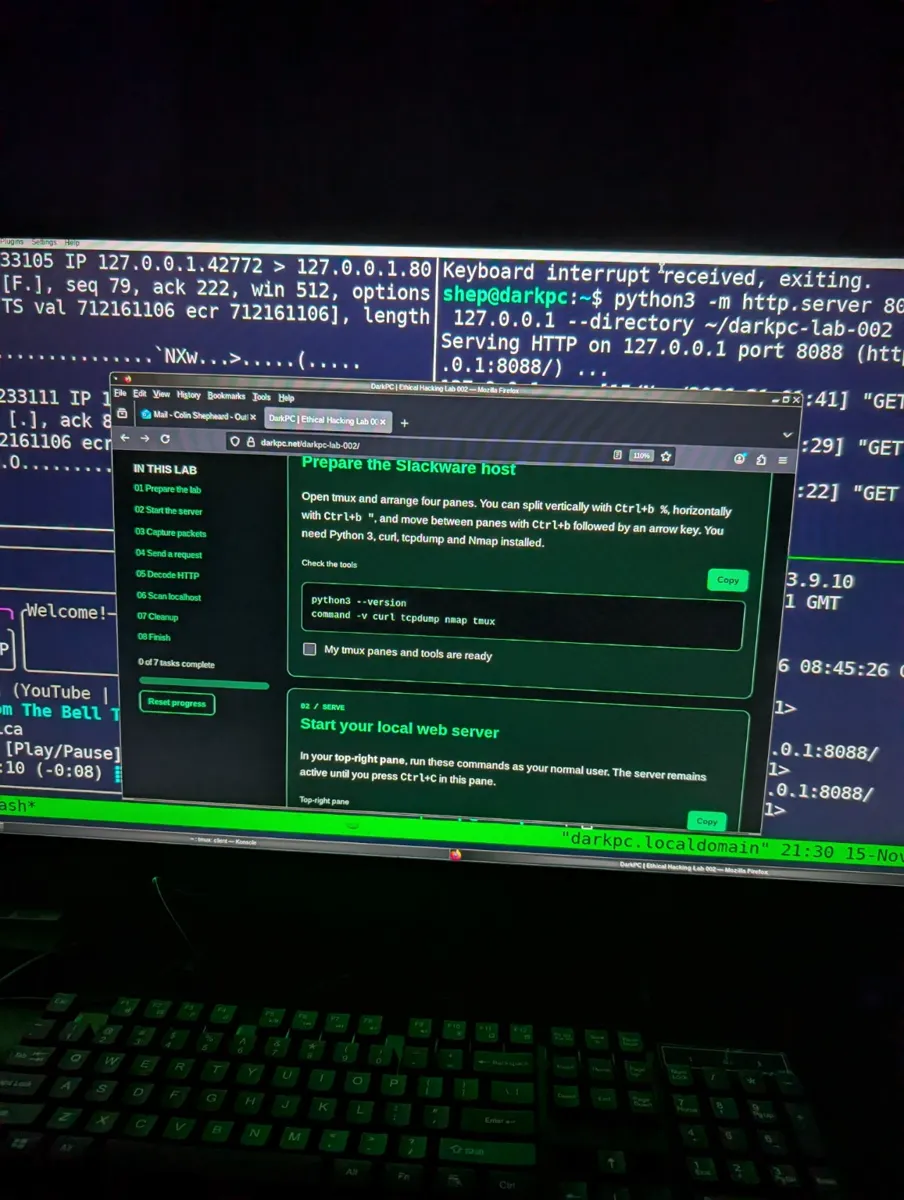
In your top-left pane, start tcpdump. On Slackware, you may need to use su - for this command only. The capture ends automatically after 20 packets, or you can stop it with Ctrl+C.
tcpdump -i lo -nn -A -s 0 -c 20 'tcp port 8088'
lo is the loopback interface. -nn keeps addresses numeric; -A shows ASCII content; -s 0 captures full packets.
Send an HTTP request
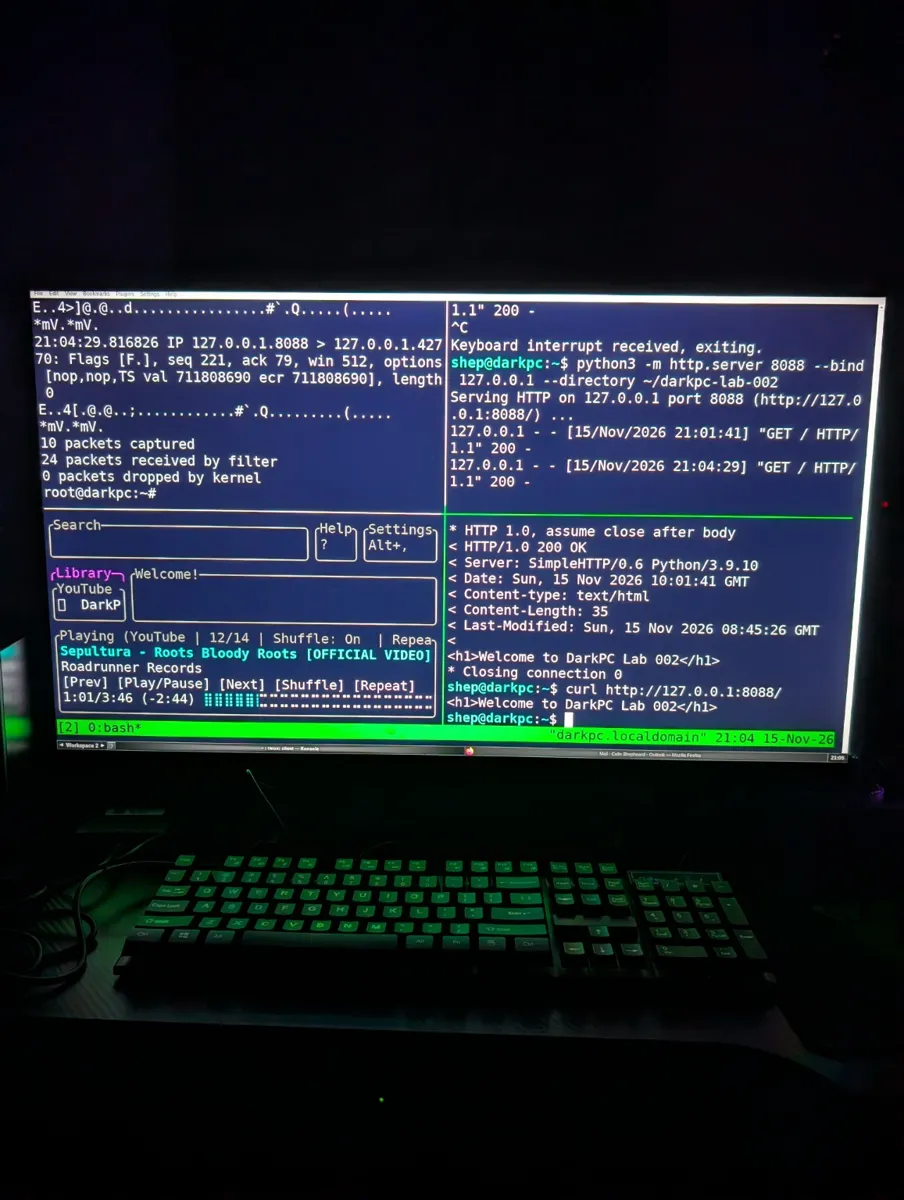
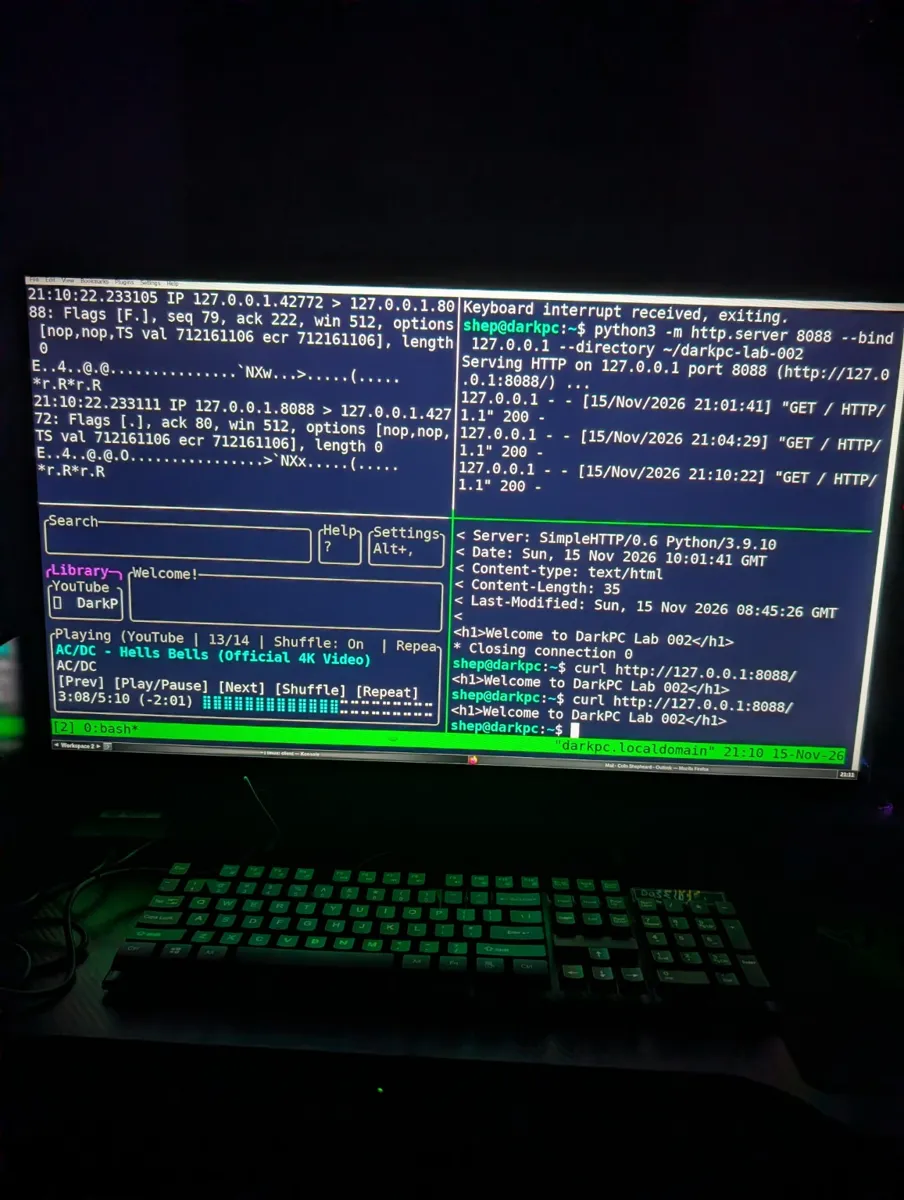
In your bottom-right pane, ask the server for its homepage. The web server should log a GET request and curl should print the HTML.
curl -v http://127.0.0.1:8088/
Read the conversation
Look in the top-left capture for a request such as GET / HTTP/1.1 and a response such as HTTP/1.0 200 OK. TCP carries the bytes; HTTP gives them meaning. Because this is unencrypted HTTP, the request and HTML body may be readable as ASCII.
GET / HTTP/1.1
Host: 127.0.0.1:8088

HTTP/1.0 200 OK
Content-type: text/html

<h1>Welcome to DarkPC Lab 002</h1>
Illustrative excerpt: exact headers, order and HTTP version may differ. If your capture has already reached 20 packets, restart tcpdump and send another curl request.
Identify your local service
In the bottom-right pane, use Nmap to identify the service listening on port 8088 on your own machine.
nmap -sV -p 8088 127.0.0.1
Expect to see port 8088/tcp open with an HTTP service, often identified as Python SimpleHTTPServer.
Shut down safely
When finished, press Ctrl+C in the top-right pane to stop the Python server, and in the top-left pane if tcpdump is still running. If you used su -, type exit to return to your normal user. Verify that port 8088 is no longer serving requests.
curl --max-time 3 http://127.0.0.1:8088/
“Connection refused” is the expected result after the server stops. Keep the practice directory for next time, or remove it later if you no longer need it.
Your lab checklist
Complete the seven tasks to finish the lab.
Return to DarkPC.net